
Simulate failures
- Understand the application
- Run the application
- Simulate failures
The money-transfer app already has three failure scenarios built in. Trigger each one to see how Temporal handles non-retryable errors, automatic refunds, and live bug fixes.
Insufficient funds (non-retryable error)
The Withdraw Activity raises InsufficientFundsError if the amount is over $1000. This error type is marked non-retryable in the Workflow's Retry Policy, so the Workflow fails immediately.
Try it by passing a large amount as the third positional argument:
bundle exec ruby starter.rb A1001 B2002 5000
Open the Web UI and you'll see the Workflow failed - no retry attempts beyond the first.
Invalid account (saga refund)
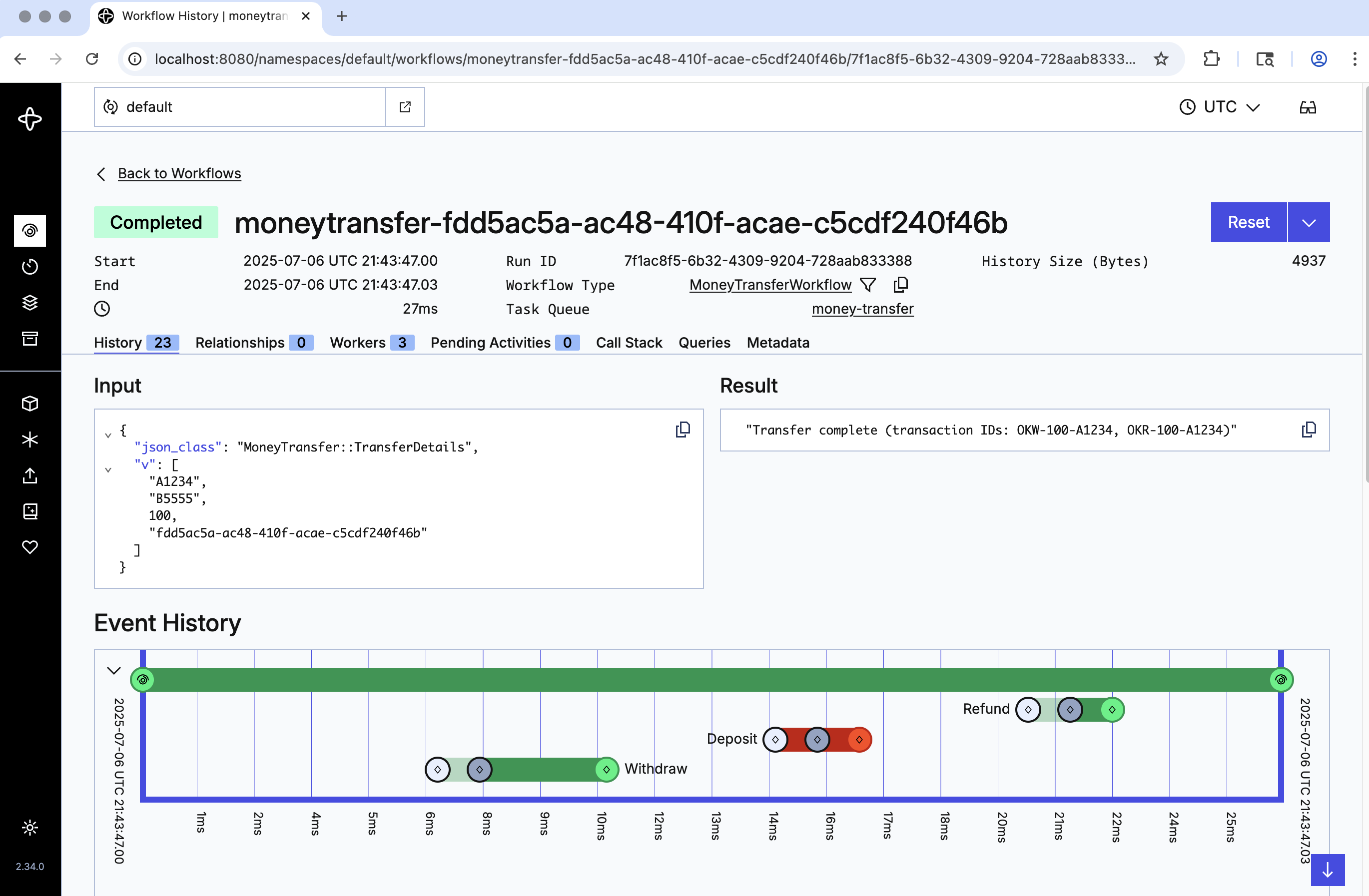
The Deposit Activity raises InvalidAccountError if the target account is B5555. This is also non-retryable - but the Workflow catches it with a generic rescue Temporalio::Error::ActivityError block and invokes the Refund Activity to return the withdrawn money. This is the saga pattern in action.
Try it:
bundle exec ruby starter.rb A1001 B5555 100
In the Web UI, you'll see Withdraw succeed, Deposit fail, then Refund execute. The final result is "Transfer complete" - because from the Workflow's perspective, the saga completed:
Recover from an unexpected bug
Real bugs aren't always anticipated. Open activities.rb and uncomment the line that causes a division-by-zero in Withdraw:
# Uncomment to expose a bug and cause the Activity to fail
x = details.amount / 0
Stop the Worker (CTRL+C) and restart it:
bundle exec ruby worker.rb
Submit a transfer:
bundle exec ruby starter.rb
The Workflow attempts the Withdraw, fails, and Temporal keeps retrying using the default policy. In the Web UI you'll see the attempts piling up - but the state is preserved.
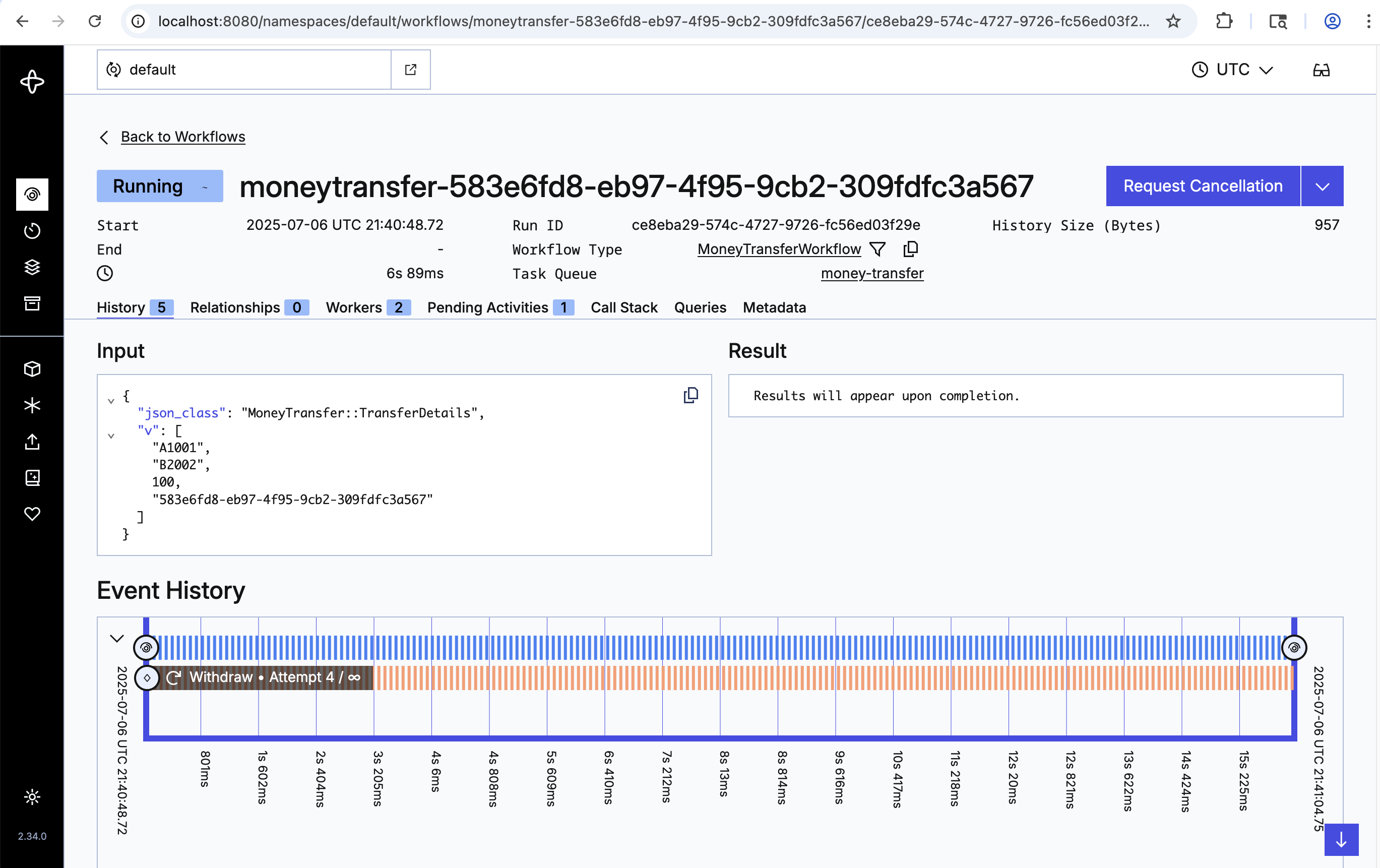
Now fix the bug by commenting the division line back out. Stop and restart the Worker. The Worker picks up right where the Workflow left off, runs the (now-working) Withdraw, then Deposit, and the Workflow completes successfully - without losing state or restarting the transaction.
Conclusion
You now know how to run a Temporal Workflow with the Ruby SDK and how Temporal recovers from non-retryable errors, retryable failures, the saga pattern, and live bug fixes. Key advantages:
- Temporal gives you full visibility into the state of your Workflow.
- Temporal maintains state through server outages and errors.
- Temporal lets you time out and retry Activity code outside your business logic.
- Temporal enables live debugging of business logic while the Workflow runs.
What's next?
Get notified when we launch new educational content
New courses, tutorials, and learning resources - straight to your inbox.