
Run the application
- Understand the application
- Run the application
- Simulate failures
Now that you understand the Workflow and Activities, run the application. You'll start a local Temporal Service, launch a Worker, then submit a Workflow Execution request.
Start a local Temporal Service
Run the following command to start the Temporal Service with a persistent database file and the Web UI on port 8080:
temporal server start-dev --db-filename temporal.db --ui-port 8080
The --db-filename option ensures records persist when you restart the service, as they would in a production deployment. Be sure to specify the same path each time.
Launch a Worker
Open a new terminal and change to the project directory:
cd money-transfer-project-template-ruby
Launch a Worker by running:
bundle exec ruby worker.rb
You'll see:
Starting Worker (press Ctrl+C to exit)
The Worker is now polling the Task Queue, but no Workflow Execution requests have been submitted yet. Here's how the Worker is configured:
require_relative 'activities'
require_relative 'shared'
require_relative 'workflow'
require 'logger'
require 'temporalio/client'
require 'temporalio/worker'

client = Temporalio::Client.connect(
  'localhost:7233',
  'default',
  logger: Logger.new($stdout, level: Logger::INFO)
)

worker = Temporalio::Worker.new(
  client:,
  task_queue: MoneyTransfer::TASK_QUEUE_NAME,
  workflows: [MoneyTransfer::MoneyTransferWorkflow],
  activities: [MoneyTransfer::BankActivities::Withdraw,
               MoneyTransfer::BankActivities::Deposit,
               MoneyTransfer::BankActivities::Refund]
)

puts 'Starting Worker (press Ctrl+C to exit)'
worker.run(shutdown_signals: ['SIGINT'])
Start the Workflow Execution
Open another terminal, change to the project directory, and submit a Workflow Execution request:
bundle exec ruby starter.rb
The starter.rb program connects to the Temporal Service, submits the request, and waits for the result:
require_relative 'shared'
require_relative 'workflow'
require 'securerandom'
require 'temporalio/client'

client = Temporalio::Client.connect('localhost:7233', 'default')

details = MoneyTransfer::TransferDetails.new('A1001', 'B2002', 100, SecureRandom.uuid)
details.source_account = ARGV[0] if ARGV.length >= 1
details.target_account = ARGV[1] if ARGV.length >= 2
details.amount = ARGV[2].to_i if ARGV.length >= 3
details.reference_id = ARGV[3] if ARGV.length >= 4

handle = client.start_workflow(
  MoneyTransfer::MoneyTransferWorkflow,
  details,
  id: "moneytransfer-#{details.reference_id}",
  task_queue: MoneyTransfer::TASK_QUEUE_NAME
)

puts "Initiated transfer of $#{details.amount} from #{details.source_account} to #{details.target_account}"
puts "Workflow ID: #{handle.id}"

begin
  puts "Workflow result: #{handle.result}"
rescue Temporalio::Error::RPCError
  puts 'Temporal Service unavailable while awaiting result'
  retry
end
You'll see output indicating that the transfer was initiated and the Workflow completed:
Initiated transfer of $100 from A1001 to B2002
Workflow ID: moneytransfer-...
Workflow result: Transfer complete (transaction IDs: OKW-100-A1001, OKD-100-B2002)
View the state in the Web UI
Visit the Temporal Web UI where you'll see your Workflow listed:
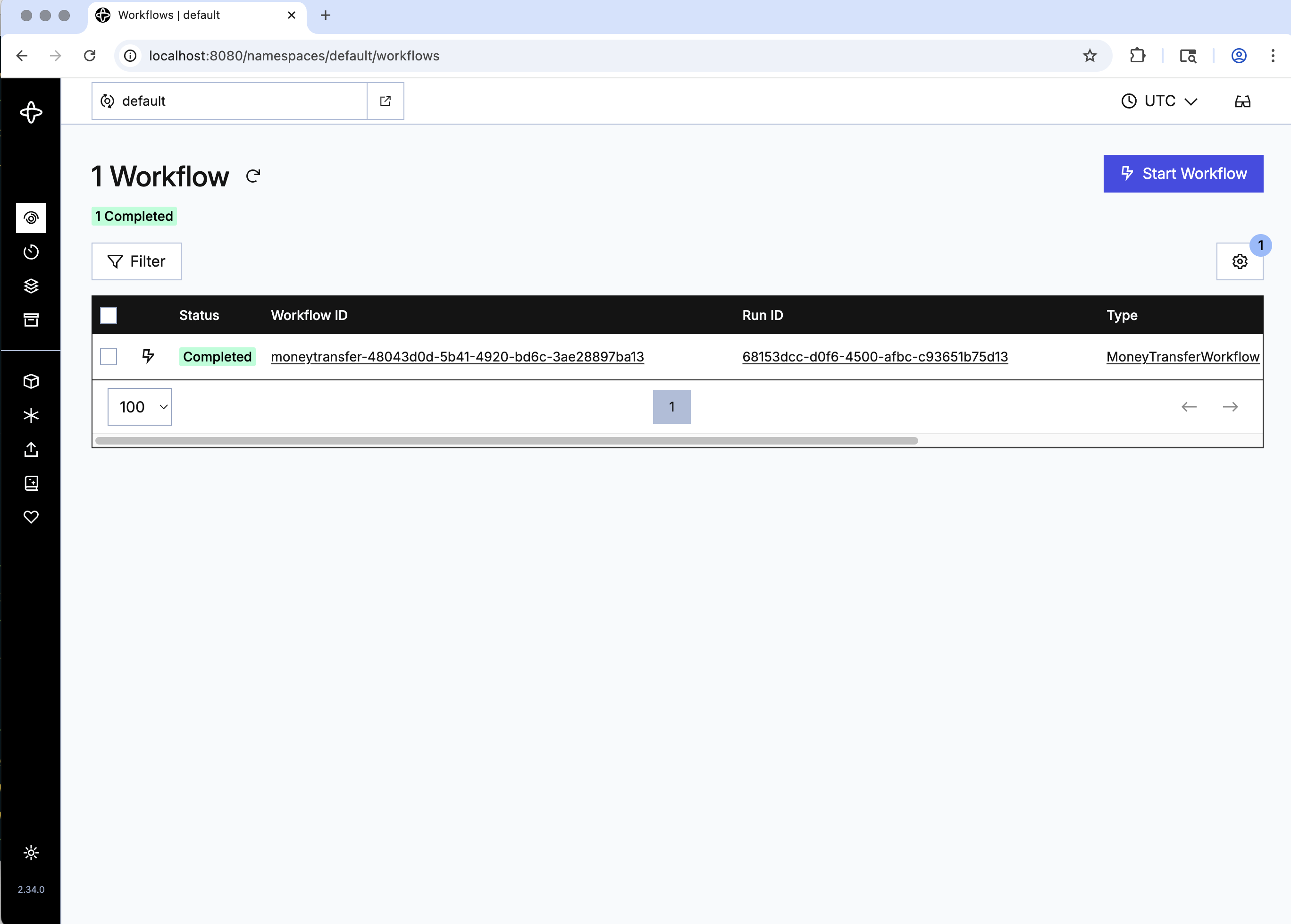
Click the Workflow ID to see details, inputs, attempts, and history:
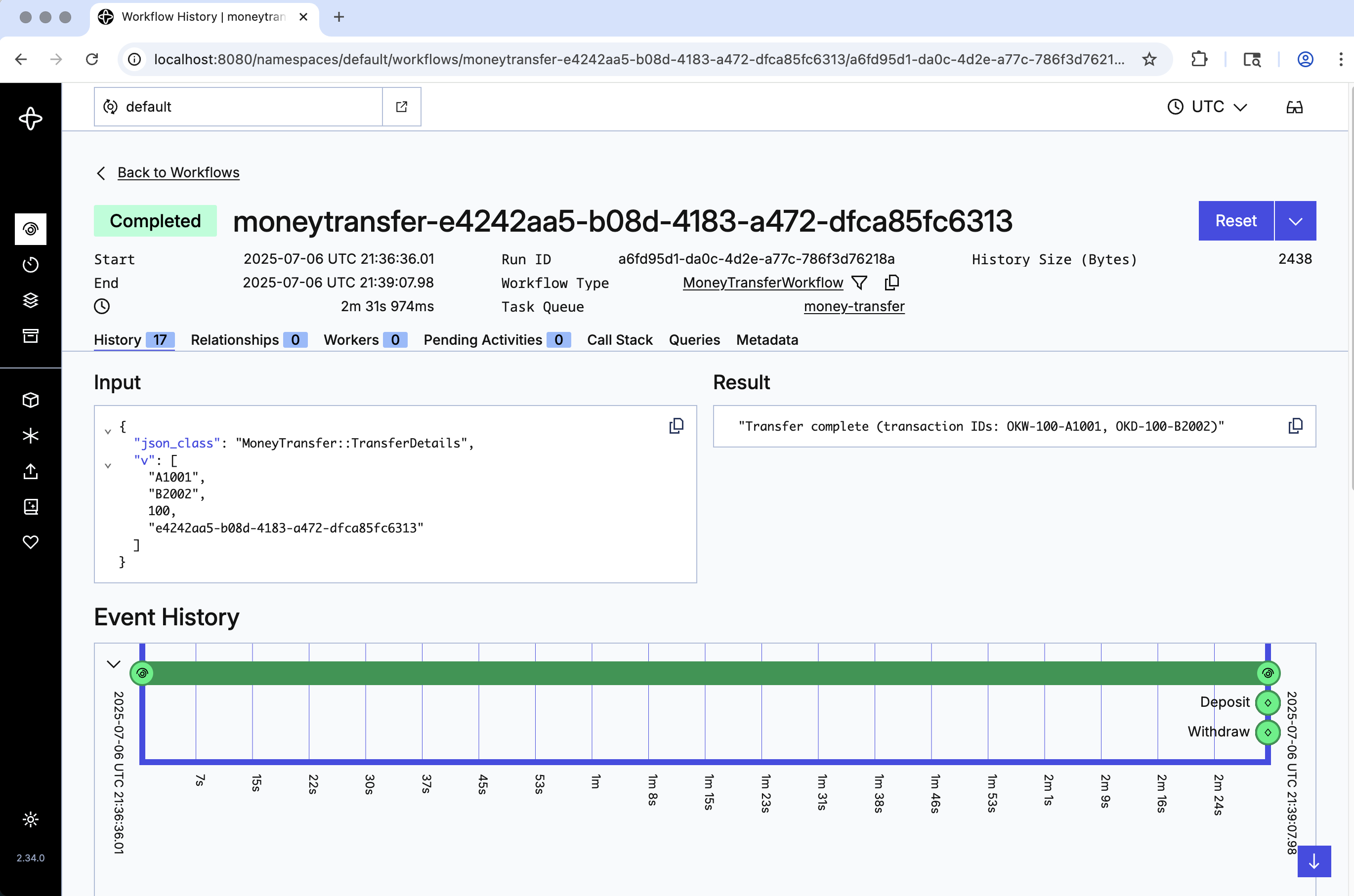
You just ran a Temporal Workflow application and saw how Workflows, Activities, and Workers interact. Next you'll explore how Temporal handles failures.
Get notified when we launch new educational content
New courses, tutorials, and learning resources - straight to your inbox.